
Banner Ad Formats: Design High-Impact Visuals for 2026
Why banner ad formats and visuals still matter in 2026
In 2026, advertising can feel like a big puzzle. Businesses want to show their ads to many people across different websites and apps. But each place often has its own rules for how ads should look and what sizes they need to be.

This means it’s tough for companies to create one ad that works well everywhere. Making sure your marketing ads look good and fit correctly on all platforms is a real challenge for anyone working in media and advertising.
Even with all the new ways to advertise, classic display ads, often called banner ads, are still very important. These are the rectangular pictures or animations you see on websites. They are one of the most common types of display ads you’ll encounter online Display Advertising Best Practices 2026: Metrics & Types. The problem is that there are so many different kinds of banner ad examples to choose from. How do you pick the right ones and make them look good?
This article will help clear up that confusion. We will give you a clear, easy-to-understand guide to different banner ad sizes, formats, and design tips. You’ll learn how to make great visuals that get noticed. Whether you’re making standard sponsored ads or trying out new ideas for advertisement posters examples, this guide is for you. We will show you how to build high-impact campaigns in 2026 and get your ads ready for any platform.
Stay ahead in the fast-changing world of media and advertising. Get daily updates on AI and technology trends that impact your work by subscribing to The AI Newsletter Worth Reading.
Banner ad basics: formats, placements, and use cases
To truly get your ads noticed in 2026, it’s important to understand the basics of banner ads. This includes knowing the different types, or "formats," they come in and where they can be placed on a webpage or app. Picking the right format and spot makes a big difference in how well your advertisement works.
Common Banner Ad Formats
Banner ads aren’t just one type of picture. They come in many forms, each with its own benefits:
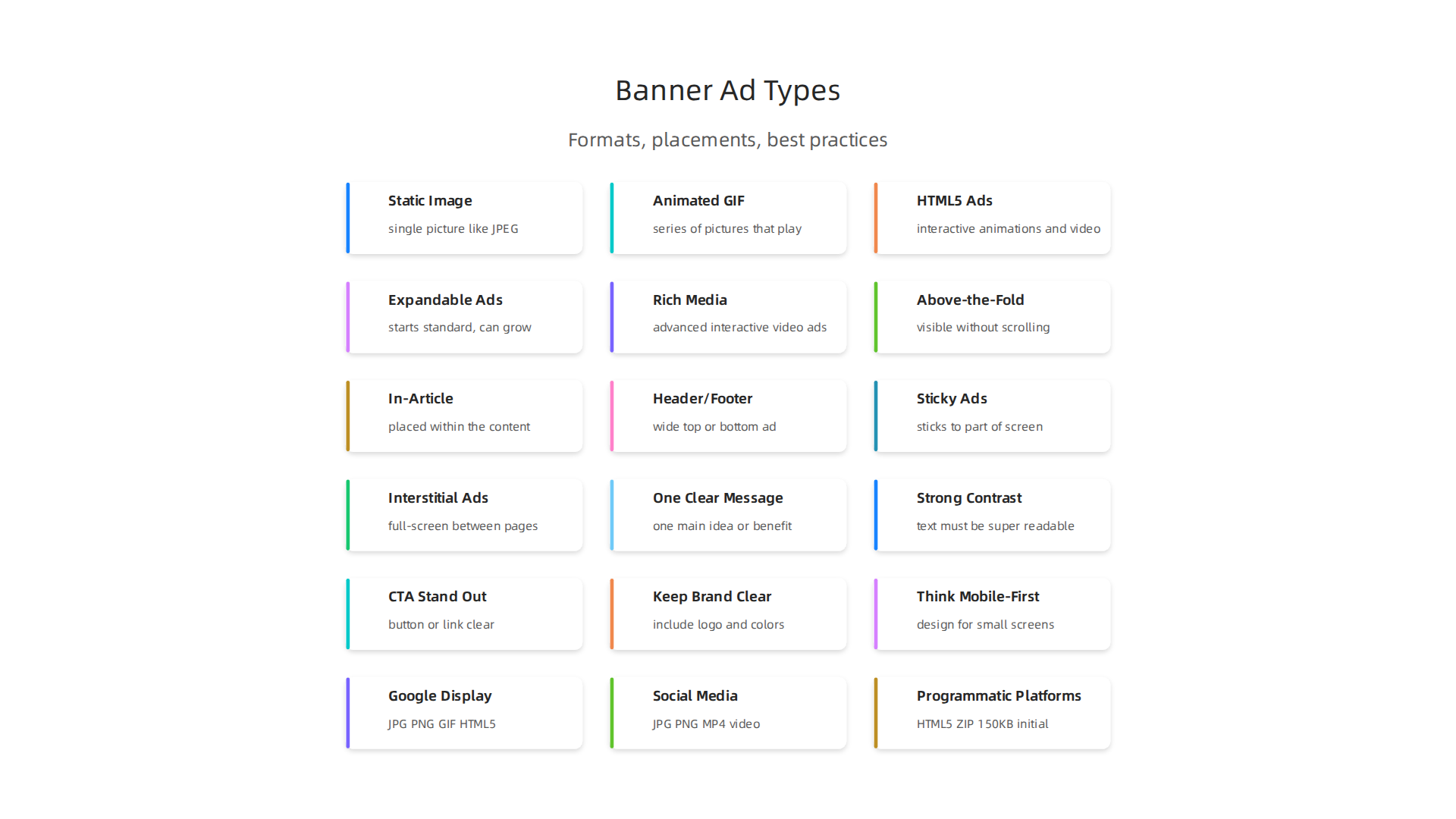
- Static Image Ads: These are the simplest kind. They are just a single picture, like a JPEG or PNG file. Because they don’t move, they load very fast and are easy to make. They are great for simple messages or when you want to show a clear product image without distractions.
- Animated GIF Ads: These ads use a series of pictures that play like a short, silent movie. They grab attention better than static images but are still fairly small in file size. Think of them as simple moving banner ad examples. While GIF is a common format, newer types like HTML5 are often preferred for richer movement.
- HTML5 Ads: These are much more advanced. They are built using web code (HTML5, CSS, and JavaScript) and can include animations, interactive elements, and even short videos. They offer a lot of creative freedom and can be very engaging. Many companies accept common file formats like HTML or HTML5 for their digital ads AMA_Digital-Online_Advertising_SpecSheet_(060117).xls.
- Expandable Ads: These start as a standard banner ad but can grow bigger when a user hovers over them or clicks. This lets you show more information or a larger creative without taking up too much space at first.
- Rich Media Ads: This is a broad term for ads that use advanced technology to be interactive. They can include video, audio, or game-like elements, and can even react to how you move your mouse. These ads aim to give users a deeper experience than a regular banner, often built with HTML5 to animate or play video What are rich media ads? Examples that convert – Zeely AI. These are great for strong visual marketing ads that need to tell a story or show a lot.
Ad Placements and What They Do
Where a banner ad sits on a webpage or in an app is called its "placement." Different placements serve different goals:
- Above-the-Fold (ATF): This means the ad appears on the screen without the user having to scroll down. It’s often the first thing people see. Leaderboard banners, which are wide and short, are often placed at the very top of a page, making them highly visible Standard Banner Ad Sizes: A Guide for Display Ads. This placement is great for getting immediate attention and high impressions.
- In-Article/In-Feed: These ads are placed directly within the content a user is reading or scrolling through. They blend in more naturally with the surrounding articles or social media posts, making them less intrusive. This can lead to higher engagement because the user is already focused on the content. You might see these as a form of advertisement posters examples that fit right into the flow.
- Header/Footer (Leaderboard or Floor Ad): A leaderboard is a wide horizontal ad, often at the top or bottom of a page. A "floor ad" stays at the very bottom of your browser window as you scroll, ensuring it’s always visible for a short time Online Advertising Formats 2023. These are good for broad brand awareness.
- Sticky Ads: These ads "stick" to a certain part of the screen, usually the top or bottom, even as the user scrolls. They remain in view, providing constant visibility. This maximizes exposure and can be very effective for important sponsored ads.
- Interstitial Ads: These are full-screen ads that appear between pages or during natural breaks in content, like when opening an app or moving from one section to another. They often have a clear option to close them. Mobile interstitial ads are very common, like a 320×480 ad that takes over the screen Mobile Banner Ads: The Complete 2026 Guide to Formats …. They are highly impactful due to their large size and full attention capture.
Choosing the right mix of formats and placements helps ensure your message reaches the right people in the most effective way. To make your campaigns even more powerful, consider how your ad creative builds high impact. For deeper insights into creating effective visual campaigns, learn about ad creative build high impact campaigns in 2026.
The last section talked about different types of banner ads and where they are placed. Now, let’s look closer at how these ads are actually made. The kind of ad you choose affects how much work it takes to build, how big its file size is, and how much it can grab someone’s attention.
Static Image Ads: Simple and Quick
Static image ads are the easiest to make. They are just one picture, like a JPG or PNG file. Because they don’t move, they load super fast on any website or app. This is good because people don’t like waiting for ads to show up.
- Production: You just need a good design and a clear message.
- File Formats: JPG, PNG, or sometimes non-animated GIF.
- Technical Limits: These ads must have a small file size, usually around 150KB. This ensures they load quickly without slowing down the page Ad Network Specs At A Glance.
- When to Use: Great for simple messages, brand logos, or when you need many different ads quickly. They are like basic advertisement posters examples that get the point across fast.
Animated GIF Ads: A Little More Movement
Animated GIF ads add movement by playing a short series of pictures. This makes them more eye-catching than static images.
- Production: Requires a few frames or simple animation. Still fairly easy.
- File Formats: GIF.
- Technical Limits: They can also have a file size around 150KB to 1MB. The animation should usually be short, often no more than 30 seconds, and it should stop playing after that time Google Ads Image Sizes 2026: Every Format and Spec.
- When to Use: When you want to show a short process, highlight a few benefits, or simply grab more attention without going too complex.
HTML5 and Rich Media Ads: Engaging and Interactive
HTML5 and rich media ads are the most advanced. They use special web code (HTML5, CSS, and JavaScript) to create moving graphics, interactive parts, or even small videos. Think of these as more like mini-webpages or games inside an ad.
- Production: This takes more skill and time. You might need a web developer or a special design tool.
- File Formats: These are usually a ZIP file that holds all the different parts of the ad (HTML, CSS, JavaScript, images, videos).
- Technical Limits: File sizes are much bigger for these. For example, Google Ads allows HTML5 ZIPs up to 600KB, while other platforms like Display & Video 360 might allow a total creative download size up to 5MB Migrating Static Banners to HTML5: A Step‑by‑Step Plan …. Animations still typically need to stop after 30 seconds.
- When to Use: These are perfect for complex marketing ads that need to tell a story, let users play with a product, or show a video. They are great when you want people to spend more time with your ad and truly engage.
The Trade-Offs: When to Invest More
Choosing which type of ad to make means thinking about what you want to achieve and how much effort you can put in.

- Load Time: Static ads load fastest. HTML5 ads can take longer, especially if they are very complex or have big files. If an ad takes too long, people might leave the page.
- Viewability & Engagement: Richer formats like HTML5 and animated GIFs tend to catch the eye more. They can lead to more clicks and longer viewing times because they are more interesting. However, they also cost more to create.
- Creative Investment: If you have an important product launch or a big brand message, investing in high-quality HTML5 or rich media banner ad examples can be worth it. For smaller, simpler promotions, a static or animated GIF ad might be all you need. Always think about your campaign goals. Developing a smart creative strategy for your digital advertising campaigns can really pay off in 2026. Learn more about winning creative ads digital campaign strategies.
It’s all about finding the right balance between how impressive your ad looks and how well it performs within the given technical rules. Making smart choices helps your ads work harder for your business.
To stay on top of the latest trends in advertising and technology, especially with AI changing so much, it helps to have expert insights delivered right to you. For a simple way to keep informed, consider subscribing to The AI Newsletter Worth Reading. Get clear daily AI updates from The Deep View Newsletter.
Now that we’ve explored the different kinds of banner ads and their technical details, let’s talk about how to make them truly shine. A great ad doesn’t just meet file size rules; it grabs attention and gets people to act. In 2026, thoughtful design is more important than ever.
Design Best Practices with Visual Examples
Good banner ads follow simple rules to be clear and powerful. Think of them like tiny billboards online. Each element has a job to do.
Core Principles for Effective Banner Design
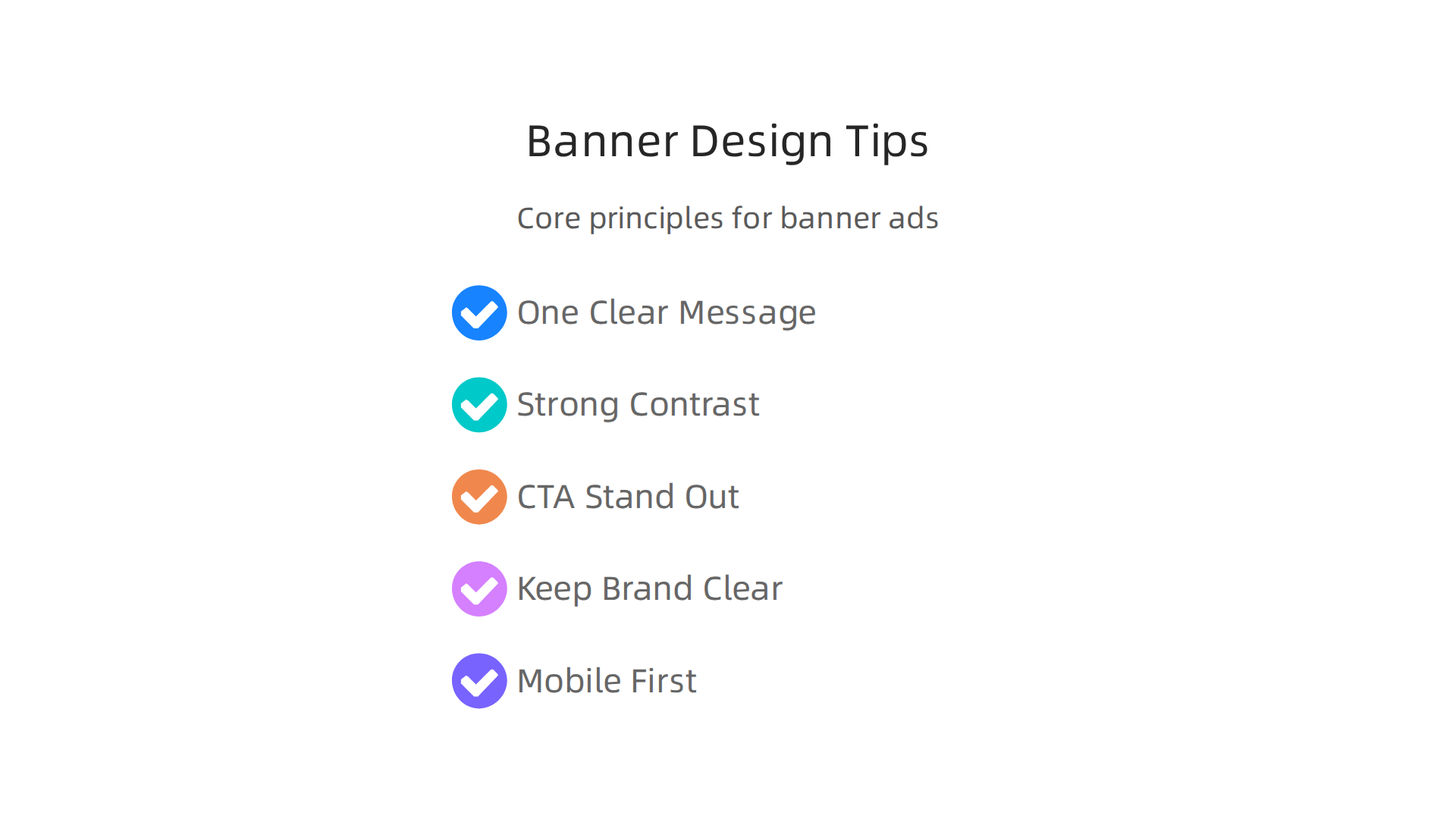
To create strong banner ad examples, focus on these key ideas:
-
Lead with One Clear Message: Don’t try to say too much. Your ad should have one main idea or benefit that people can understand in a second. This creates a strong visual hierarchy, guiding the viewer’s eye to what matters most. A good ad focuses on what the customer gains, like "Ship 2x faster" instead of just "Project management software" Banner Ad Design: Anatomy, Principles & Examples That Work.
-
Use Strong Contrast and Readable Fonts: Your text must be super easy to read. This means choosing colors that stand out against each other. Also, pick simple, clear fonts and make them big enough, usually at least 16-18 points for the main text Marketing Banner Design: Best Practices for 2026. High-quality images also help your ads look professional and attractive 27+ Best Banners & ads 2026 UI/UX Inspiration.
-
Make Your Call to Action (CTA) Stand Out: The "Call to Action" is what you want people to do next, like "Learn More," "Shop Now," or "Sign Up." This button or link needs to be very clear and easy to spot. Use action words and a color that really pops so it’s impossible to miss Banner Ads Examples: 15 Best Display Ads (2026) – DMA.
-
Keep Your Brand Clear: Always include your logo and use your brand colors. This helps people remember who the ad is from. Even if someone doesn’t click, they should still know it’s your ad, building brand awareness. Learning about corporate branding services can help you keep your brand consistent.
-
Think Mobile-First: Most people browse on their phones these days. So, design your banner ad examples to look great and work well on small screens first. This often means testing them at widths like 320 pixels. The most common ad size, 300×250 (medium rectangle), works well across both desktop and mobile devices The Ultimate Guide to Banner Design: Trends, Best Practices, and ….
Adapting Your Creative for Different Audiences and Places
The best marketing ads change based on who will see them and where.
- Audience Intent: If someone has already visited your website, your ad might remind them about a product they liked. This is different from an ad meant for someone who has never heard of your brand before. Tailor your message and visuals to match what your audience likely knows or wants.
- View Environment: A large banner ad on a desktop website gives you more space for text and images than a small mobile ad. You need to recompose your ad for each size, not just shrink it down. For example, a wide banner for desktops (like 728×90) might have your logo on the left, message in the middle, and button on the right, while a mobile ad needs a stacked design.
To make sure your banner ad examples are truly effective, it’s smart to test different versions. This is called A/B testing. You can compare how well different styles, messages, or layouts work to find what your audience likes best How to Design Effective Banner Ads: Actionable Tips for Standout Campaigns. This helps you build high impact campaigns in 2026 that get real results.
After creating great banner ad examples, the next step is to know if they actually work. You need to measure how well your marketing ads are doing.

This helps you understand what people like and what gets them to act. In 2026, using data to check your creative is super important for smart advertising.
Measuring Creative Performance: Metrics and A/B Testing
Think of measuring your ad’s performance like checking your score in a game. You want to see if you’re winning and how to play better. For banner ads, there are special scores we look at.
Key Creative Metrics
These numbers tell you different things about your banner ads:
- Click-Through Rate (CTR): This is perhaps the most famous score. CTR tells you how many people clicked on your ad compared to how many people saw it. For example, if 100 people saw your ad and 1 clicked, your CTR is 1%. In 2026, the average CTR for standard display banner ads is often quite low, sometimes around 0.08-0.12%, but rich media ads can be higher at 0.44% Click-Through Rate banner: benchmark 2026 per settore e formato. The 300×250 medium rectangle ad size actually sees a higher CTR, around 0.56% Display Ad CTR Benchmarks: Key Marketing Statistics 2026. When you want to calculate your CTR, it’s good to also think about "quality CTR," which means you don’t count clicks from people who leave your page right away Mobile Banner Ads: The Complete 2026 Guide to Formats …. You can also look at analytic marketing drive smarter campaigns and boost ROI in 2026.
- Viewability: This metric checks if your ad was actually seen by a person. An ad is usually counted as viewable if at least half of its pixels are on screen for at least one second (or two seconds for video ads) Banner ads: Measuring Success: Analyzing the Performance of Banner Ads – FasterCapital. In 2026, average viewability rose to 72% Display Advertising Benchmarks 2026: 150+ Data Points. High viewability means your sponsored ads had a chance to be noticed, while a good CTR means people acted on them Average CTR for Display Ads in 2026: Industry Benchmarks.
- View-Through Rate: This is for ads that people see but don’t click on. If they later go to your website and do something, that’s a view-through conversion. It shows your advertisement posters examples still helped, even without a direct click.
- Engagement Metrics: For rich media or interactive banner ad examples, you can track how long people interacted with the ad, if they played a video, or opened different parts of it.
- Conversion-Related KPIs: These are the big goals. Did someone buy something, sign up for a newsletter, or download an app after seeing your ad? These actions are called conversions. Your primary measure depends on your campaign goal. For getting more traffic, CTR is key. For making sales, you’d look at things like conversion rate or return on ad spend (ROAS) Banner Ad Design: Best Practices, Sizes and Testing | Linear.
A/B Test Design
A/B testing is like trying two different flavors of ice cream to see which one people like best. You show two slightly different versions of your ad (A and B) to similar groups of people. Then you see which one performs better. This is how you learn to make winning creative ads digital campaign strategies 2026.
Here’s how to do it simply:
- Hypothesis Framing: Before you start, make a guess. For example, "I think a red ‘Shop Now’ button will get more clicks than a blue one."
- Sample Size: You need enough people to see each ad version to get reliable results. For comparing CTRs, you generally need at least 1,000 impressions (times the ad is shown) for each different ad. For checking conversions, you’ll need at least 20 conversions per ad version to make a good decision Ad Banner Design: A Performance Marketer’s Guide (2026).
- Measuring Creative Lift: This means seeing how much better one ad performs compared to another. Maybe your new ad gets 15% more clicks than the old one. You can test different headlines, images, or calls to action to find the best combination.
Staying updated on the latest AI and technology trends can also give you an edge in designing and testing your banner ads. Get clear daily AI updates and more helpful insights from The AI Newsletter Worth Reading.
When you design banner ads, it’s like picking the right clothes for different parties. What works for one event might not work for another. In the same way, banner ad examples need to fit the platform where they will be shown. Each online platform, like Google or social media sites, has its own rules for how your marketing ads should look and what sizes they need to be. These rules make sure your sponsored ads look good and load fast for everyone.
What are Common Banner Ad Sizes?
There are some banner ad examples that are super popular because they work well on many websites and devices. Knowing these standard sizes helps you make sure your advertisement posters examples can reach a lot of people.
Here are some of the most common ones:
- Medium Rectangle (300×250 pixels): This size is very useful because it fits nicely into web pages, often in the content or on the side. It works well on both computers and mobile phones.
- Leaderboard (728×90 pixels): You often see this wide banner at the top or bottom of a web page on computers. It’s great for getting noticed.
- Wide Skyscraper (160×600 pixels): This tall, narrow ad is usually found on the side of a web page.
- Mobile Banner (320×50 pixels): This smaller ad is made just for phones and often sits at the top or bottom of the screen.
These sizes are part of what are called IAB standards, which are common guidelines for digital ads Digital Ads: The Complete Guide to Ad Sizes (2026). Most ad platforms, like Google, support these main sizes. It’s smart to have a few of these basic banner ad examples ready for your campaigns Google Ads Image Sizes 2026: Every Format and Spec.
Also, remember that ads usually have a file size limit. For many platforms, your ad image or animation should be 150 KB or less. This helps them load quickly Google Display Ad Sizes — All Standard Dimensions (2026).
Platform-Specific Banner Examples and Specs
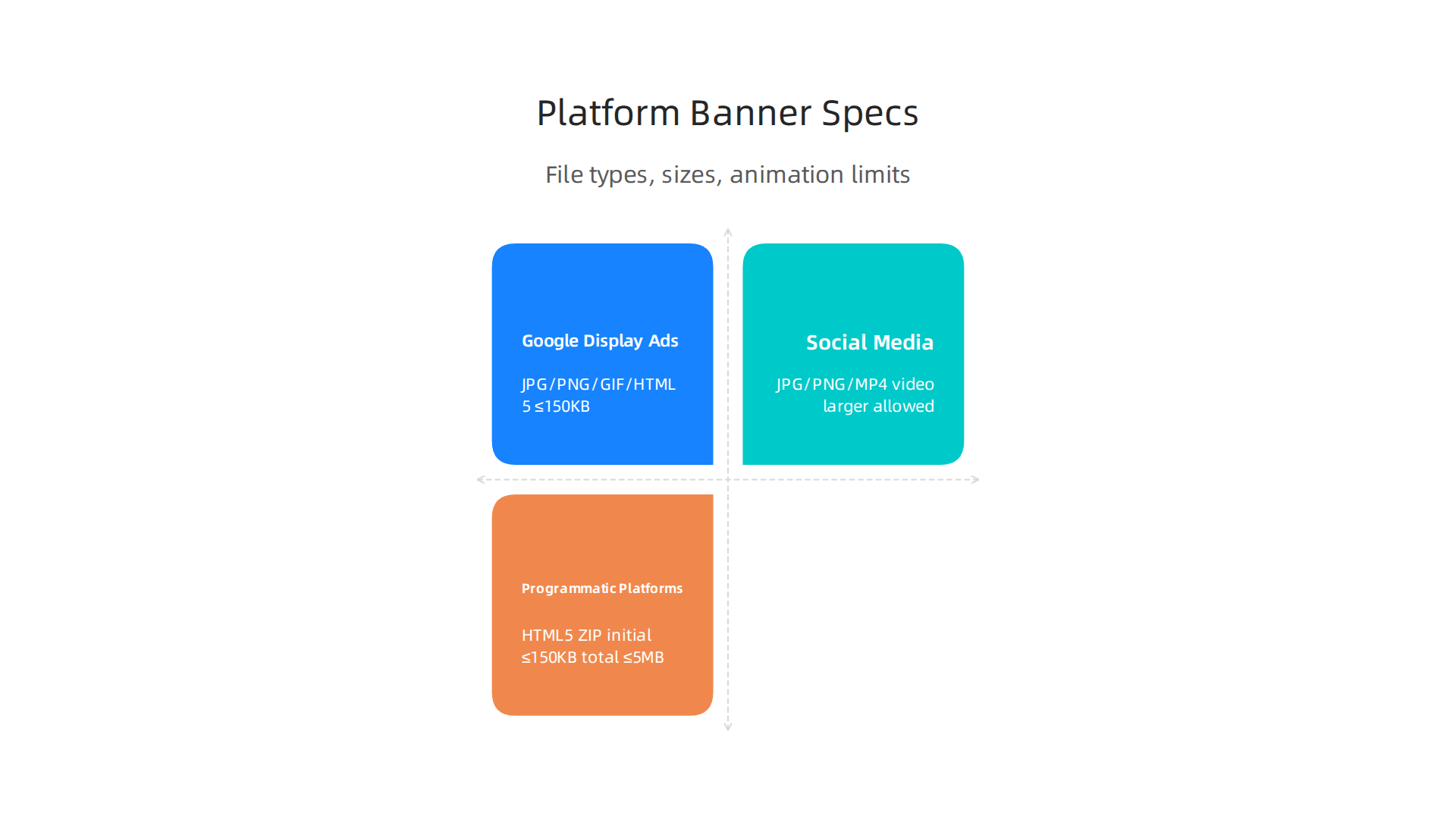
Different platforms have slightly different needs, not just for size but also for file types and how much animation they allow. Let’s look at some examples:
| Platform / Network | Key Sizes | File Types & Max Size | Best Use & Creative Advice |
|---|---|---|---|
| Google Display Ads | 300×250, 728×90, 160×600, 320×50, 300×600, 336×280 | JPG, PNG, GIF, HTML5 (up to 150 KB for most) | Show a clear call to action. Use bright colors. Great for reaching many people across different websites. You can learn more about the types of Google Ads. |
| Social Media (e.g., Facebook, Instagram) | Feed Ads: 1080×1080 (square), Stories Ads: 1080×1920 (full screen) | JPG, PNG, MP4 (video) (larger file sizes allowed for video) | Use high-quality images or videos that tell a story. Testimonial ads work well here. Focus on making your ad fit in with regular posts so people don’t skip it. Banner Sizes for All Social Media: Up-to-Date Guide 2026 |
| Programmatic Platforms (e.g., DV360) | All IAB sizes (300×250, 728×90, 300×600, 160×600) | HTML5 ZIP (up to 150 KB initial, 5 MB total), JPG, PNG, GIF | Good for showing a variety of banner ad examples to different groups of people. Animation should be short (under 30 seconds) and stop on its own [Banner Ad Specs by Platform: 2026 Cheat Sheet |
When creating your ad designs, remember to think about the message and how it looks on each platform. What might be a great banner ad example for a Google Display Ad campaign might need changes for a social media story. Learning to build high impact campaigns means matching your creative to the right place.
When creating your ad designs, remember to think about the message and how it looks on each platform. What might be a great banner ad example for a Google Display Ad campaign might need changes for a social media story. Learning to build high impact campaigns means matching your creative to the right place.
Future trends: AI-generated creatives, personalization, and privacy constraints
The world of online advertising is always changing, and right now, new tools and rules are making big waves. In 2026, we are seeing how Artificial Intelligence (AI) and new privacy rules are changing how we make and show marketing ads.

These changes are making things both easier and more complex for advertisers.
AI and How It Changes Ad Creation
Imagine making many different banner ad examples very quickly. That’s what AI tools are helping with. These tools can create many versions of an ad, trying out different colors, words, and pictures. This helps advertisers find the best advertisement posters examples without a lot of manual work. AI can quickly:
- Make many versions: It can take one idea for a banner ad and create hundreds of slightly different ones. This is called rapid iteration.
- Find the best ads: AI helps pick which ads are most likely to work well with people. This is creative optimization.
- Change ads for each person: AI can even make tiny changes to an ad so it feels like it was made just for one person. This makes personalization easier.
These AI tools help people in creative advertising jobs work smarter, not harder. You can explore how AI tools are shaping careers in creative advertising. By using AI, companies can test many banner ad examples and quickly learn what their audience likes. This means faster, better sponsored ads that cost less to make. You can learn more about how AI is redefining native advertising and how new approaches like performance marketing use advanced AI tactics.
For those looking to stay sharp on the latest AI advancements impacting media and marketing, there is a helpful resource. Get clear daily AI updates from The AI Newsletter Worth Reading.
New Rules for Privacy and Ads
While AI helps make better ads, new rules about privacy are changing how we show them to people. In 2026, many websites are moving away from using "cookies" to track people’s online activity. This means it’s harder to target specific groups of people with very personal ads based on their past browsing.
Instead, advertisers are now looking at:
- Contextual signals: This means showing ads based on what a person is looking at right now. For example, if someone is reading an article about cooking, they might see an ad for kitchen tools.
- General groups of people: Ads might be shown to wider groups of people who share common interests, instead of trying to target one person very closely.
These changes mean that the way we measure how well ads work is also changing. It forces advertisers to build a strong advertising strategy that earns audience trust in the AI era. The focus is more on making good, interesting content in ads that people want to see, rather than just showing them what they’ve looked at before. These new rules make it important to create diverse and appealing banner ad examples that can reach people in new ways.
Summary
This article explains why banner ad formats and visuals remain critical in 2026 and walks through the formats, placements, production trade-offs, design best practices, measurement techniques, platform specs, and future trends you need to know. It covers common formats (static, GIF, HTML5, rich media, expandable, interstitial), where to place ads for maximum impact, and the production limits that affect load times and viewability. You’ll learn practical design rules—one clear message, readable fonts, standout CTAs, mobile-first layouts—and how to A/B test and read metrics like CTR, viewability, and conversions. The guide also explains standard IAB sizes, platform-specific constraints, and how AI and new privacy rules change targeting and creative workflows. After reading, you’ll be able to choose the right formats, optimize creatives for platforms, run simple tests, and plan privacy-aware, high-impact campaigns.