
High-Impact LinkedIn Carousel Ad Specs for 2026 Campaigns
Why LinkedIn Carousel Ads Matter Now (and What This Guide Promises)
In 2026, the world of online advertising keeps changing fast. If you’re a leader in media or marketing, you know how important it is to reach the right people. This is especially true for business audiences. That’s where LinkedIn Carousel Ads come in. These special ads let you show many pictures or videos in one ad. People can swipe through them like a story.
This format is a powerful way to tell a bigger story about your brand or product. It helps you share more ideas than a single image ad can. Many smart companies use them as part of their marketing strategy using social media because they can make a strong impact. They are a key part of current social media trends for getting people to notice and engage with your content.
You might be wondering about the best ways to make these ads work. It’s important to get all the details right. This guide is here to help you understand everything about LinkedIn Carousel Ad Specs. We will cover exactly what you need to know.
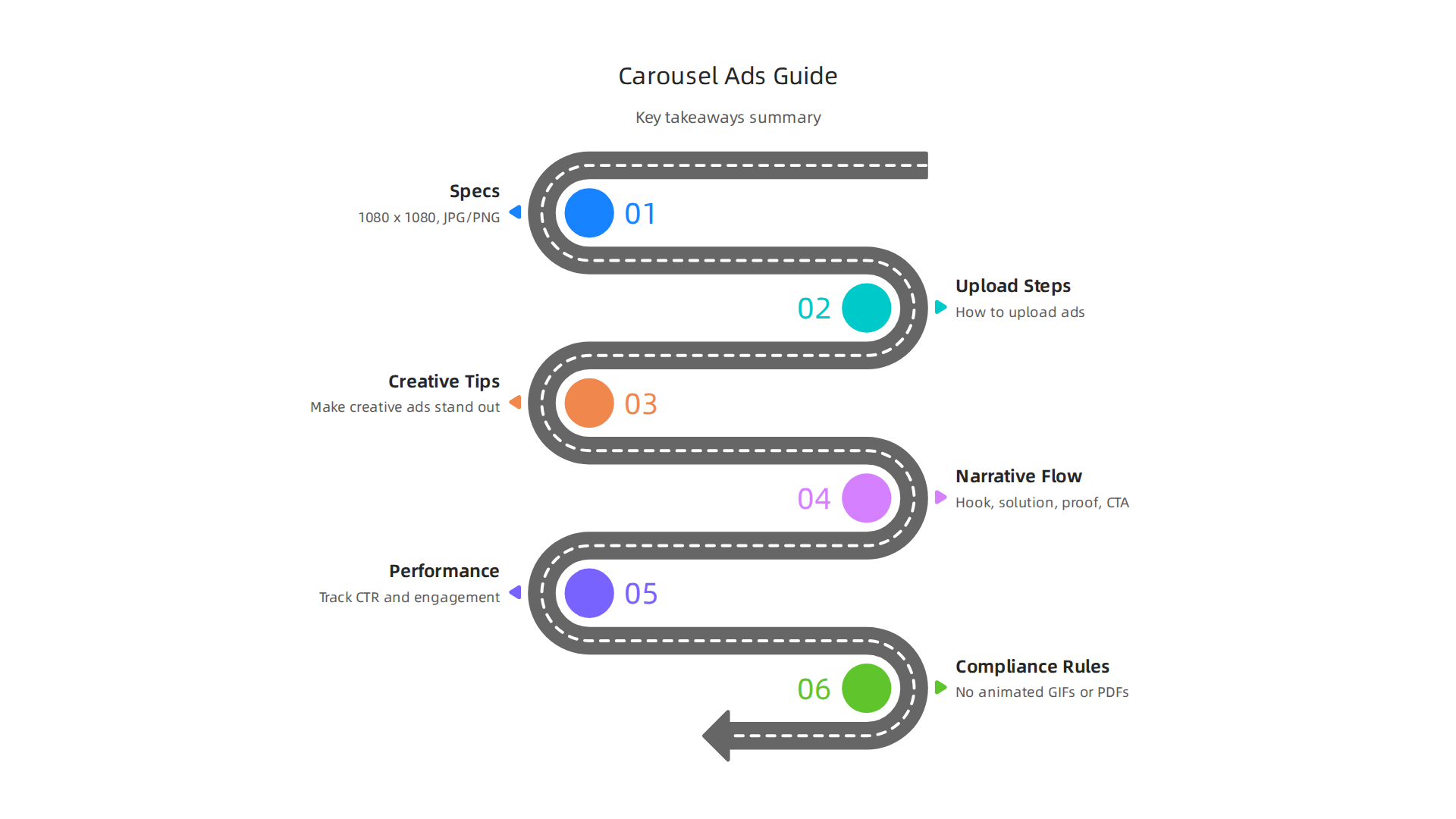
By the end of this guide, you will learn:
- The correct sizes and types of files for your carousel cards. Did you know images should be 1080 x 1080 pixels and can’t be bigger than 10 MB per card? This is a common recommended size for individual cards, though LinkedIn allows up to 4320 x 4320 pixels for images in a carousel ad. Remember, files should be JPG or PNG, not animated GIFs or PDFs for these specific ads, though some other LinkedIn post types accept them LinkedIn Ad Sizes 2026: Complete Spec Sheet.
- Easy steps for uploading your ads.
- Tips for making your creative ads look amazing. (You can also learn more about winning creative ads digital campaign strategies 2026).
- How to check if your ads are doing well.
- Important rules to follow so your ads are approved.
Making your ads follow the correct linkedin carousel ad specs is key for a successful social media campaign. It ensures your message looks good and reaches its full potential. Stay updated on the latest trends and best practices in the media industry.
Get clear daily AI updates from The AI Newsletter Worth Reading.
LinkedIn Carousel Ad – Overview & When to Use It
Now that you know a bit about the technical side of LinkedIn Carousel Ad Specs, let’s talk about why and when these ads are super useful. Carousel ads are not just a fancy option. They are a smart tool for your marketing strategy, especially when you want to connect with business people.
When to Choose Carousel Ads
Carousel ads let you tell a story card by card. This makes them great for a few key reasons:
- Storytelling: Imagine you have a new service. Instead of just one picture, you can use a carousel to show a problem on the first card, explain your solution in the middle cards, and then ask people to act on the last card. This kind of "hook, story, call to action" method helps people follow along and learn more. In fact, many experts suggest structuring your carousel with a strong hook, a solution, and proof of success across the cards LinkedIn Carousel Ads Guide for SaaS: Creative, Targeting, and ROI.
- Showcasing Many Products or Features: If your company has many features for one product, or several products, a carousel ad lets you show them all at once. Each card can highlight a different item or benefit. This is perfect for businesses that have a lot to show.
- Step-by-Step Guides or Tutorials: You can break down complex ideas into easy steps. Each card can be one step in a guide. This is a very helpful way to teach your audience and show your expertise.
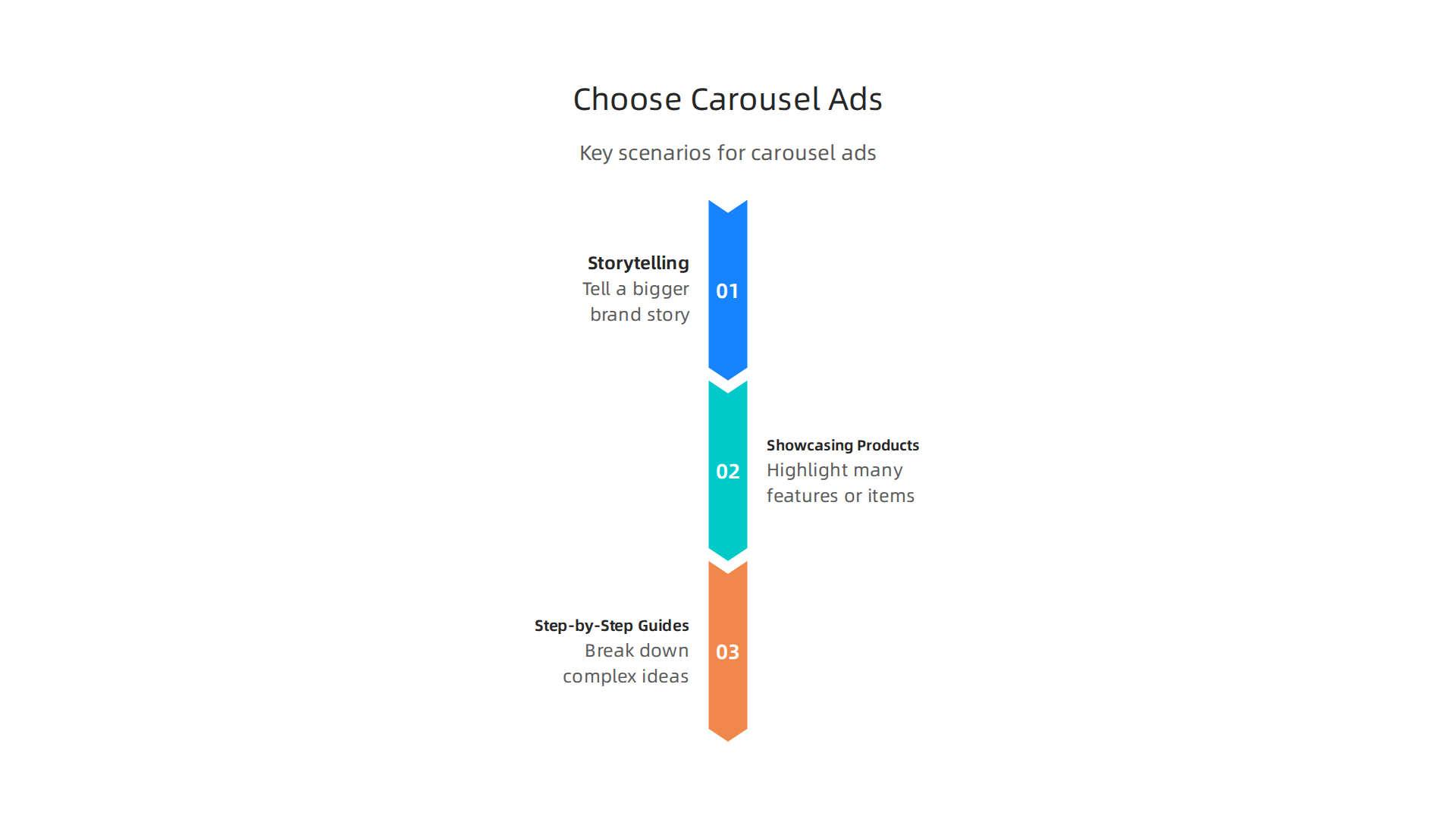
For these reasons, carousels are often recommended for storytelling, showing off many features, or for tutorials Level Up Your Lead Gen with LinkedIn Carousel Ads: A 2026 Guide.
These ads are especially good for B2B (business-to-business) audiences because they allow for deeper explanations. This approach can be a core part of your account based marketing drives media advertising and creator economy success efforts.
How Carousels Compare to Other Ads
You might wonder if carousel ads are truly better than just using one picture or video. Well, for engagement, data in 2026 shows that carousels often win.
- More Engagement: People tend to spend more time with carousel ads because they swipe through multiple cards. This makes the ads more engaging. Reports from 2026 show that carousel posts can get much higher engagement rates than single image posts. Some data even says they get 303% more engagement than simple image posts and 278% more than videos on LinkedIn LinkedIn Carousel Engagement 2026: Performance Benchmarks.

This makes them a strong choice for current social media trends.
- Better Clicks: Because carousels offer more information and an interactive experience, they can lead to more clicks. This means more people visiting your website or learning more about your business.
- Document-Style Carousels: Sometimes, when people talk about carousels on LinkedIn, they might mean posts made by uploading a PDF document. These also allow people to swipe through pages and are known to generate a lot of interaction, often getting 3x more reach and 10x more clicks than single-image posts LinkedIn Carousel Post vs. Single Image: Engagement ….
So, while single-image or video ads are good for quick messages, carousel ads are better when you want to tell a richer story, show many things, or teach something step-by-step. They often create a stronger impact in your overall social media campaign. Choosing the right ad format is a big part of knowing what makes a good advertisement thrive 2026 strategies for impact.
Creating effective LinkedIn carousel ads means knowing the exact rules for your images. After understanding why these ads work so well for telling stories and showing off your business, the next step is to get the technical details right. Following the proper linkedin carousel ad specs helps make sure your message looks good and reaches your audience clearly in your overall social media campaign.
Image Sizes, File Types, Aspect Ratios, and Limits
Each picture, or "card," in your carousel ad needs to follow specific rules. These rules help LinkedIn show your ad correctly to everyone. If your images don’t meet these standards, they might not look their best or could even be rejected.
Here are the key technical details for each card in your LinkedIn carousel ad in 2026:
- Recommended Image Size: The best size for each image card is 1080 x 1080 pixels. This square size ensures your content appears crisp and clear on different devices. While LinkedIn allows for a maximum image dimension of 4320 x 4320 pixels, aiming for the recommended 1080 x 1080 pixels with a 1:1 aspect ratio is the smart way to go LinkedIn Carousel Ads advertising specifications.
- Aspect Ratio: Every image card in a carousel ad must have a 1:1 aspect ratio. This means the image should be a perfect square. No other ratios are supported for these specific ad cards LinkedIn Carousel Ad Specs 2026: Card Sizes, Limits, and ….
- File Types: You should use either JPG or PNG files for your carousel images. These are common image types that work well on LinkedIn. While some older information might mention non-animated GIFs, it’s safer and generally best practice in 2026 to stick to JPG or PNG to avoid any issues LinkedIn Ad Sizes 2026: Complete Spec Sheet.
- Maximum File Size: Each image card can be up to 10 MB in size. This is usually plenty for high-quality images without making the ad load too slowly.
- Number of Cards: A LinkedIn carousel ad can have anywhere from 2 to 10 image cards. This range gives you enough space to tell a detailed story without overwhelming your audience LinkedIn Ad Specs and Sizes 2026: Complete Cheat Sheet by Format.
Quick Summary of LinkedIn Carousel Ad Specs
To make things easy, here is a table summarizing the important linkedin carousel ad specs:
| Requirement | Details |
|---|---|
| Cards per Ad | 2 to 10 cards |
| Recommended Size | 1080 x 1080 pixels (per card) |
| Aspect Ratio | 1:1 (square) |
| File Types | JPG, PNG |
| Maximum File Size | 10 MB (per card) |
What About Multimedia Cards (Videos)?
It is important to know that individual cards within a standard LinkedIn carousel ad are for images only. The search results primarily focus on image specifications like JPG and PNG for these cards. If you want to use video, you would typically use a separate LinkedIn video ad format, or consider "document-style" carousels which are usually PDF uploads. These PDF-based carousels can have different dimensions and file types, but they are a distinct type of post compared to the image carousel ads we are discussing here.
By paying close attention to these linkedin carousel ad specs, you’ll ensure your visuals are top-notch. This attention to detail is crucial for any successful marketing strategy using social media and helps you stay competitive in current social media trends. To learn more about creating visuals for ads, you might want to explore how to design high-impact visuals for 2026 banner ad formats.
Staying informed about changes in advertising technology, especially with the rise of AI, is vital. Get clear daily AI updates from The AI Newsletter Worth Reading.
After understanding the technical details for making great LinkedIn carousel ads, the next step is to make your ads truly shine. This means thinking about the story you want to tell and how your ad looks. Creative choices are key for a successful social media campaign in 2026.
Creative Best Practices: Sequencing, Copy, CTAs, and Visual Hierarchy
Making your LinkedIn carousel ad effective means telling a clear story. Think of each picture as a page in a small book. You want people to swipe through all of them. This is called planning your "narrative flow."

Planning Your Story: Sequencing and Narrative Flow
A good carousel ad has a clear path from start to finish. It usually follows a simple story structure:
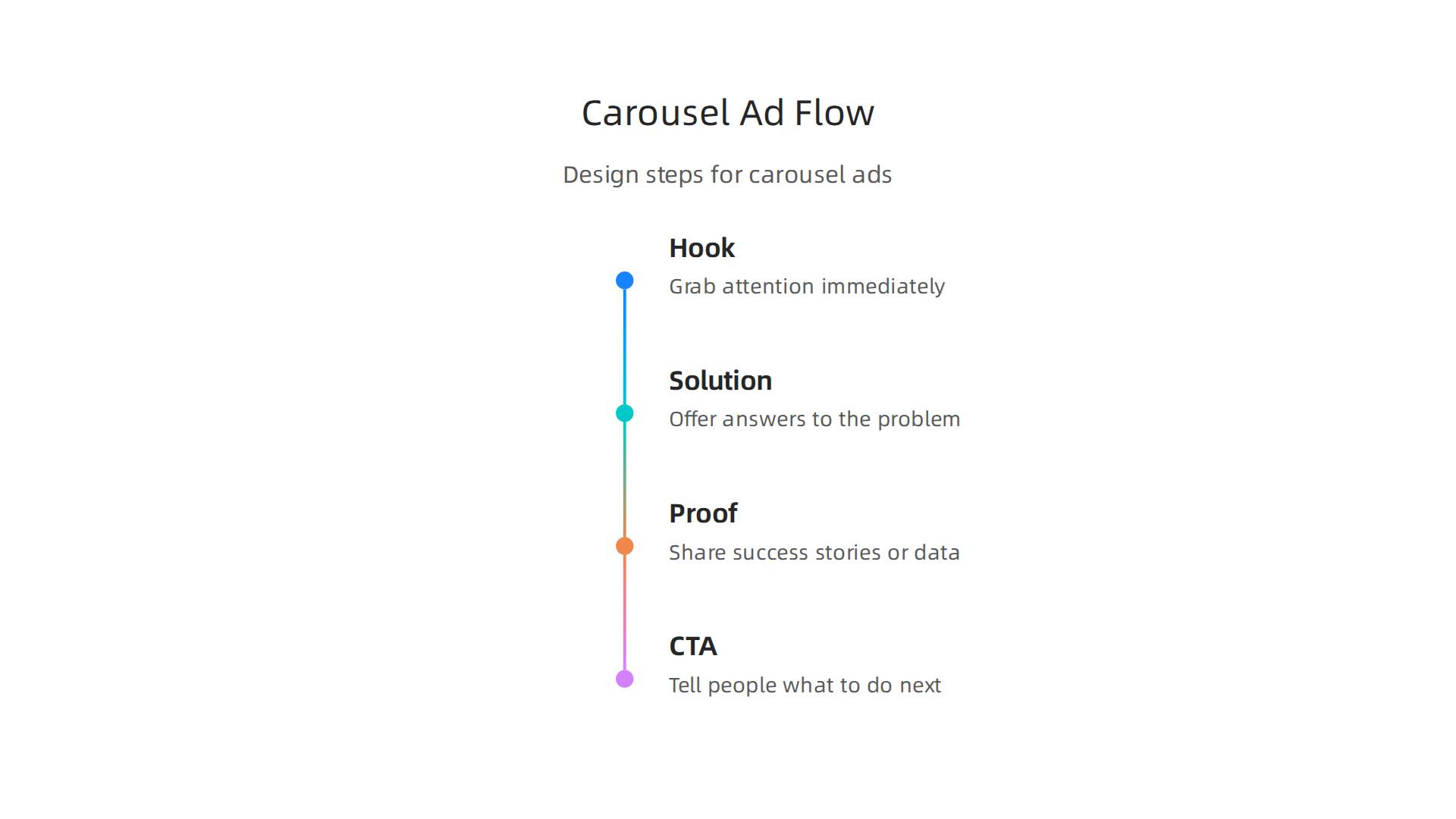
- The Hook: Your first card needs to grab attention right away. It should show a problem or something interesting that makes people want to swipe. Focus on what the viewer cares about, not just your product LinkedIn Carousel Ads Guide for SaaS: Creative, Targeting, and ROI. A bold headline or an exciting visual can help stop people from scrolling past The Ultimate Guide of Carousel Ads.
- The Solution/Story: The next few cards should offer parts of the answer to the problem you just shared. Each card should show one main idea. Don’t try to cram too much information into one picture How To Create A LinkedIn Carousel In 2026 [Examples …]. Focus on the good results your solution brings.
- The Proof: After showing your solution, give some reasons why it works. This could be numbers, happy customer stories, or examples of success LinkedIn Carousel Ads Guide for SaaS: Creative, Targeting, and ROI.
- The Call to Action (CTA): The last card should tell people what to do next, like "Learn More" or "Visit Our Website."
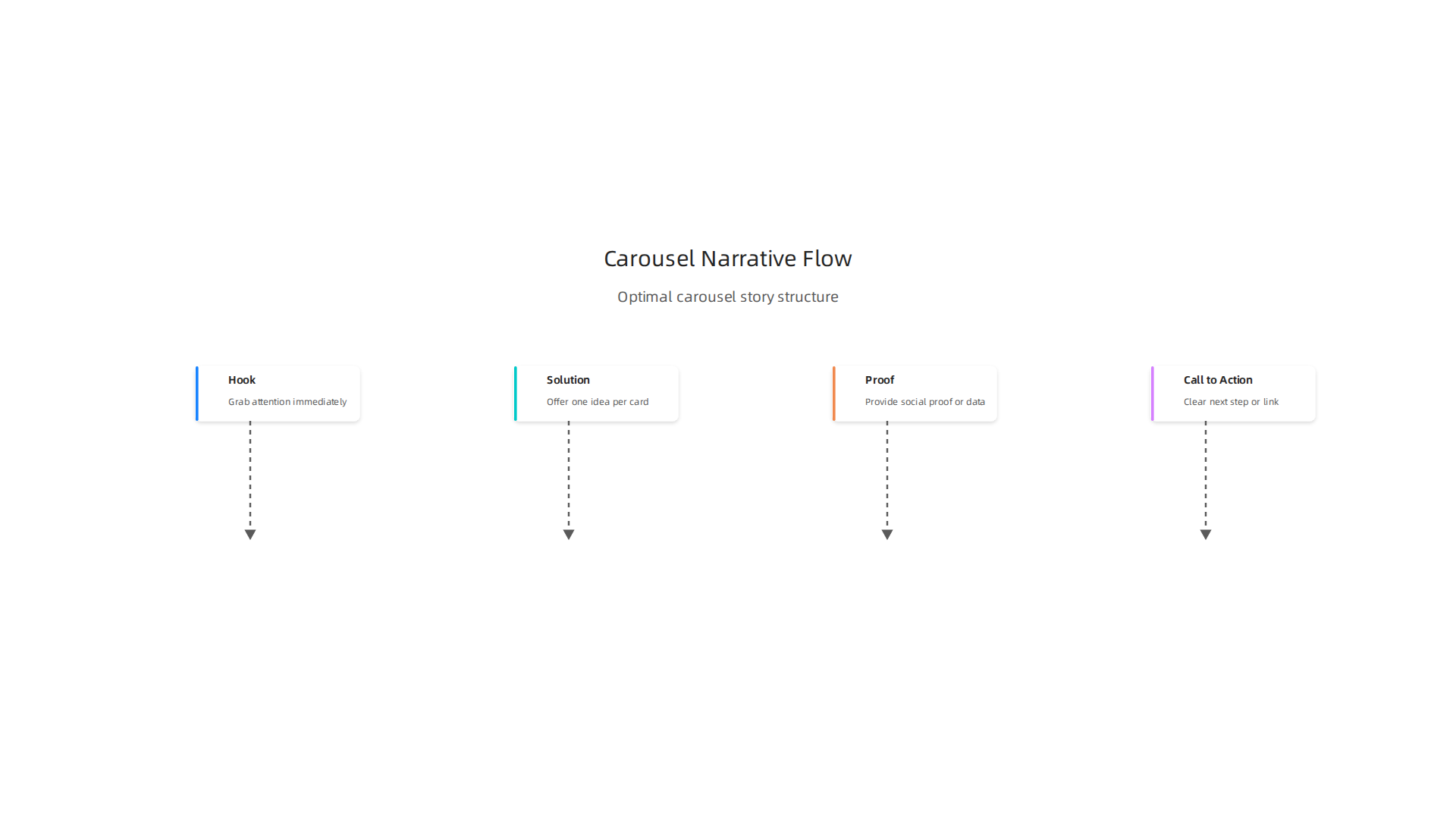
Creating this smooth story makes people more likely to swipe through all your cards and understand your message. Experts say that numbering your cards, like "1 of 6" or "2 of 6," can even make more people swipe through, sometimes 15-25% more LinkedIn carousel ads in 2026: the 10-card format that still converts.
Crafting Your Copy and Calls to Action
What you write on your cards is just as important as the pictures. Since LinkedIn is for professionals, your words should be clear and to the point.
- Keep it Short: For each card, aim for minimal text. Around 10-20 words per card is often best. One key idea per card keeps things simple and easy to understand LinkedIn Carousel Ads: How to Create High-Converting Campaigns.
- Clear Messages: Each card should have a clear message. Don’t make people guess what you’re trying to say.
- Call to Action (CTA): Make sure your call to action is clear and easy to see. While the final card is often the main spot for your CTA, you can also include clear messages and actions in the description for each card Best practices for carousel ads | LinkedIn Ad Tips.
- Image-Text Balance: The text should work with the image, not against it. Don’t put too much text on an image. The picture should do most of the talking, with text adding important details.
Visual Consistency and Accessibility
To make your ad look professional and easy to follow, keep your design the same across all cards.
- Consistent Look: Use the same colors, fonts, and overall style for every card in your carousel. This helps your brand look strong and trustworthy LinkedIn Carousel Ads: Best Practices for B2B Engagement.
- Readability: Make sure your text is easy to read, especially on small phone screens. Use fonts that are large enough and have good contrast with the background color. For example, dark text on a light background or light text on a dark background works well. Good contrast helps everyone read your message, which is important for accessibility Understanding Success Criterion 1.4.3: Contrast (Minimum).
- Alt Text: Don’t forget to add "alt text" to your images. This is a short description of what’s in the picture. It helps people who can’t see the images understand your ad better. This is a good practice for making your ads welcoming to more people Web Content Accessibility Guidelines (WCAG) 2.1 – W3C.
By focusing on these creative best practices, your LinkedIn carousel ads will not only meet the required linkedin carousel ad specs but also stand out in a busy feed, making your marketing strategy using social media more effective in 2026. Staying on top of current social media trends means paying attention to both the technical rules and the creative ways you use them.
After putting together a visually appealing and engaging story for your LinkedIn carousel ad, the next big step is making sure the right people see it. This means carefully thinking about your ad’s goals and who you want to reach. Just like crafting the creative elements, knowing your audience and objective is vital for a successful social media campaign in 2026.
Targeting & Objective Alignment: Who Sees Each Card and Why It Matters
Your LinkedIn carousel ad isn’t just a set of pretty pictures; it’s a tool to achieve a specific business goal. How you design each card and the story you tell should change based on what you want people to do after seeing your ad.

How Campaign Objectives Shape Your Ad
Before you even think about your audience, decide what your main goal is. On LinkedIn, common goals fit into three types:
- Awareness: You want many people to know about your brand or product. For awareness, your carousel might tell a broader story, showing different parts of your company or the good things your product can do. The goal is to make a lasting impression.
- Consideration: You want people to think about your product or service more seriously. Here, your carousel should give more details, like how your product solves a problem, or share success stories. The aim is to get people interested enough to learn more. LinkedIn carousel ads are great for storytelling, which helps with consideration campaigns. They can even boost engagement rates significantly compared to single images, with some reports showing they get 278% more engagement than a standard image post in 2026, reaching an average of 6.6% engagement rate overall LinkedIn Carousel vs Single Image: Which Gets More Reach?.
- Leads: You want people to take a specific action, like signing up for a demo or downloading a guide. For lead generation, each card should move the viewer closer to that action, ending with a very clear call to action. The median click-through rate (CTR) for carousel ads is around 0.32%, but can go up to 2.89% on later cards if the story is compelling LinkedIn Carousel Ads Benchmarks 2026: CTR, CPC, and the Card ….
Understanding which objective you’re aiming for helps you pick the right campaign type strategy and makes sure your carousel ad tells the right story to the right people.
Targeting Nuances on LinkedIn
LinkedIn is special because you can target people based on their jobs and work life. This precision helps your carousel ads reach those who will care most about your message. Here are some ways you can target:
- Job Titles: Show your ad only to CEOs, marketing managers, or software engineers.
- Industries: Target people who work in specific fields like technology, finance, or healthcare.
- Company Size: Reach people at small startups or large corporations.
- Skills: Focus on professionals with particular skills.
A powerful strategy on LinkedIn is Account-Based Marketing (ABM). This means you pick a list of specific companies you want to work with and then target the people who work at those companies. For ABM, carousel ads are very effective for telling a tailored story that speaks directly to the needs of those target accounts. If you want to dive deeper into this approach, learn more about how account-based marketing drives media advertising and creator economy success.
No matter your goal, carefully choosing your audience on LinkedIn makes every part of your ad work harder, from the first card to the final call to action. It ensures your carousel’s message resonates with the people most likely to engage, aligning your creative choices with the best linkedin carousel ad specs for your specific audience. To stay ahead of the curve in this rapidly changing industry, it’s wise to get insights into how AI is shaping the media and marketing landscape.
Here’s a tip:
The AI Newsletter Worth Reading. Get clear daily AI updates from The Deep View Newsletter.
After you’ve carefully planned your ad’s story and chosen your audience, the next big step is to actually build your campaign on LinkedIn. This means uploading your images, adding your text, and making sure you can see how well your ad is doing. Let’s walk through setting up your LinkedIn carousel ad so it’s ready to bring in results.
Campaign Setup: Uploading Carousel Cards, Linking, and Tracking
Setting up your carousel ad means paying close attention to details like image sizes, the order of your cards, and how you will measure success. Here’s a simple checklist to guide you.
Getting Your Carousel Cards Ready
First, you need to prepare your individual cards. Think of each card as a page in your story.
- Image Size: Each card needs to be a square image. The best size for your images is 1080 x 1080 pixels, with a 1:1 square shape. This is a very important part of the LinkedIn carousel ad specs to make sure your pictures look sharp.
- File Type and Size: Use JPG or PNG files. Each image should be no bigger than 10 MB. You can learn more about these requirements in the official LinkedIn Carousel Ads advertising specifications.
- Number of Cards: Your carousel ad can have anywhere from 2 to 10 cards.
- Order and Story: Think about the order of your cards. Each one should naturally lead to the next, like turning pages in a book. This helps keep your audience interested. You can rearrange them later if needed.
- Headlines for Each Card: Give each card a clear headline. This text helps explain what people are seeing and why it’s important. It’s like a mini-headline for each part of your story.
- Links for Each Card: Each card in your carousel can have its own special link. This is great if you want to send people to different pages on your website that relate to each card’s message.
- Preview Your Ad: Always preview your carousel ad before it goes live. This lets you see how it will look to your audience and catch any mistakes. Making sure your visuals are high-impact is key for any banner ad formats.
Setting Up Your Tracking
To know if your carousel ad is working, you need to track what happens after people see it. This is how you measure the success of your marketing strategy using social media.
- UTM Parameters: These are special codes you add to your links to tell you where your website visitors came from. For example, you can see that a click came from your LinkedIn carousel ad, and even which specific card they clicked. This helps you understand which parts of your ad are most appealing. Using UTM tracking for LinkedIn Ads can give you detailed insights.
- Naming Tips: Use a clear naming system for your UTMs. For example,
campaign=carousel_product_launch_q3helps you know exactly which ad campaign brought the traffic. It’s smart to use lowercase letters and underscores instead of spaces.
- Naming Tips: Use a clear naming system for your UTMs. For example,
- LinkedIn Insight Tag: This is a small piece of code you put on your website. It helps LinkedIn track when people visit your site after seeing your ad, even if they don’t click right away. It’s super important for seeing "view-through" conversions (when someone sees an ad, doesn’t click, but later visits your site and takes action). The Insight Tag is also needed for remarketing, which means showing ads again to people who have already visited your site.
- Conversion Tracking: With the Insight Tag, you can set up "conversion events." These are specific actions you want people to take on your website, like filling out a form, downloading a guide, or buying something. LinkedIn can then tell you how many conversions your carousel ad led to. You can set up conversion tracking easily.
- Installation: You can install the Insight Tag directly on your website or through tools like Google Tag Manager. This will help you track your analytic marketing efforts.
By setting up both your cards and your tracking correctly, you’ll be well on your way to running a successful social media campaign on LinkedIn in 2026.
After setting up your LinkedIn carousel ad and making sure all your tracking is in place, the real work begins. Now you need to understand what your ad data means and how to use it to make your campaigns even better. This is all about looking at key numbers, trying out different ideas, and checking your results.
Optimization & Measurement: KPIs, A/B Tests, and Reporting
To truly run a successful social media campaign, you need to measure what works and what doesn’t. This helps you get more value from your ads and reach your goals.
Key Numbers to Watch: Your Primary KPIs
KPIs, or Key Performance Indicators, are the main numbers that tell you if your carousel ad is doing well.
- Engagement Rate: This shows how much people interact with your ad, like swiping through cards or reacting to the post. LinkedIn carousel ads generally have high engagement. In 2026, some reports show that carousel posts can get an average engagement rate of 6.60% or even higher, greatly outperforming single image posts on LinkedIn according to Single image vs. carousel posts on LinkedIn: what the data shows. A higher rate means people are interested in your story.
- Click-Through Rate (CTR): This tells you how many people clicked on your ad after seeing it. For carousel ads, you should look at the overall CTR and the CTR for each individual card. The median CTR for LinkedIn carousel ads is around 0.32%, but some cards can perform much better, reaching almost 3% LinkedIn Carousel Ads Benchmarks 2026: CTR, CPC, and the Card …. This helps you see which parts of your story are most exciting.
- Cost Per Mille (CPM): "Mille" means a thousand, so CPM is the cost to show your ad to 1,000 people. For carousel ads, the typical CPM in 2026 is about $45.28 Top 7 LinkedIn Ads Benchmarks Every B2B SaaS Marketer Needs …. It helps you understand how much you’re paying to get your message out there.
- Conversion Rate: This is super important. It tells you how many people who clicked on your ad then completed a goal on your website, like filling out a form or buying something. LinkedIn ads generally aim for a conversion rate of 5% to 15% Linkedin Ad Benchmarks 2026 – An Always Up-to-date Guide. This metric truly shows if your ad is bringing in good results for your business.
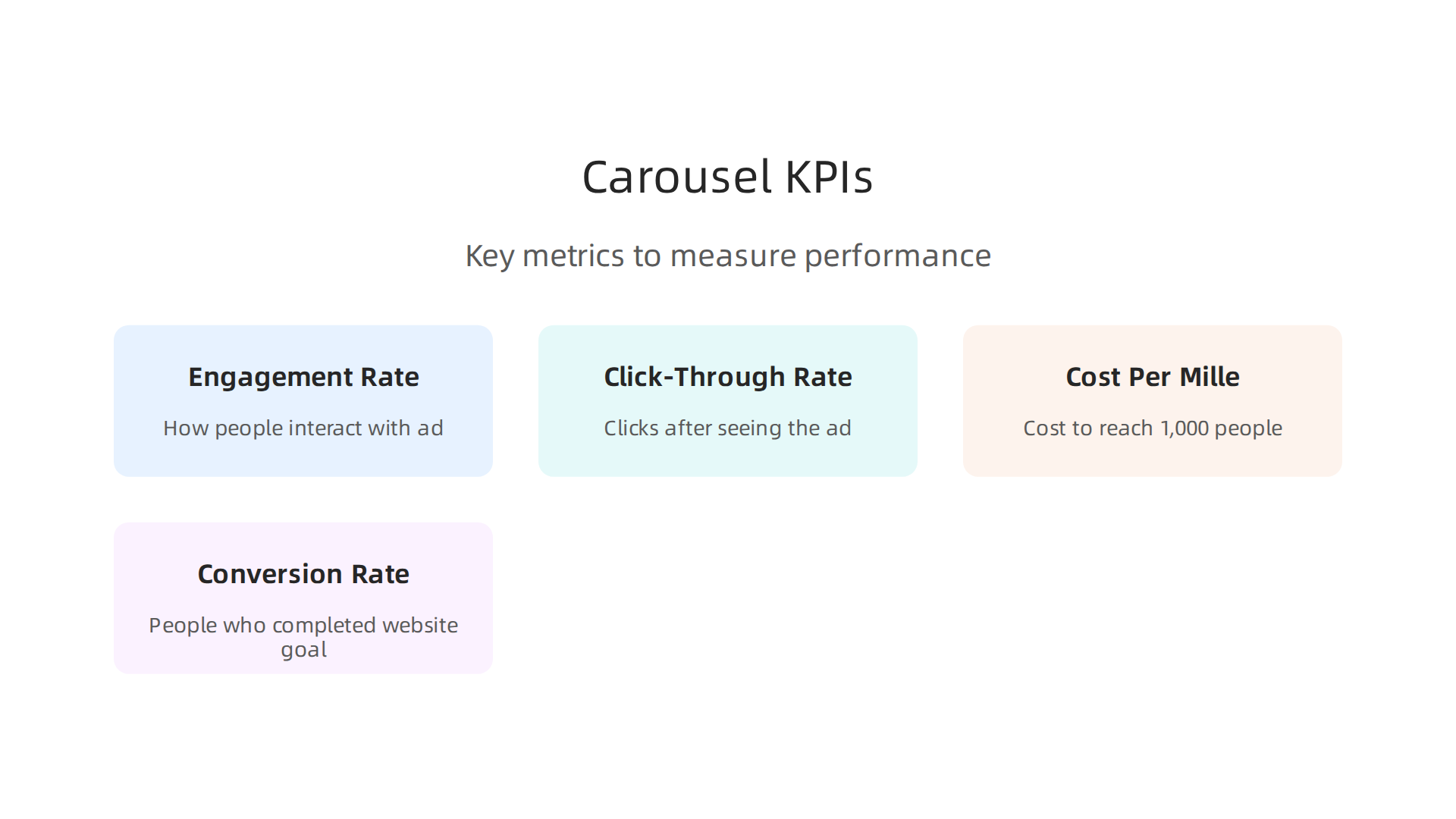
To get the most out of these numbers and drive smarter campaigns, diving into performance marketing 2026 from fundamentals to advanced ai tactics can be very helpful.
A/B Testing: Trying Out Different Ideas
A/B testing means trying two different versions of your ad to see which one works better. For your LinkedIn carousel ad, there are many things you can test:
- Card Order: Does telling your story one way work better than another? Change the order of your cards to see if it makes a difference in how many people swipe through or click.
- Creative and Headlines: Try different pictures or headlines for your cards. For example, you could run two versions of your carousel where only the first card’s picture and headline are different LinkedIn Carousel Ad Examples: 12 That Actually Convert.
- Number of Cards: Does a shorter carousel with 3 cards work better than a longer one with 7 cards? Test different lengths.
- Calls to Action (CTAs): The button or text that tells people what to do next (like "Learn More" or "Download Now") can also be tested. Which CTA gets more clicks?
By looking at the metrics for each card, you can learn which parts of your ad are most effective. This insight helps improve your overall marketing strategy using social media. Pay attention to how far people swipe through your cards, as "deep swipes" can signal high interest LinkedIn Carousel Ads for B2B: The Swipeable Story Format.
Reporting and Dashboards
LinkedIn’s Campaign Manager is where you’ll find all the reports about your ad’s performance. Here, you can see how each individual card is doing in terms of clicks and views Carousel ad tips. Regularly checking these reports helps you understand current social media trends and how your audience responds.
Being informed about the latest technology and AI tools is key for making smart advertising choices.
Stay ahead of the curve in a fast-changing media landscape. Get clear daily AI updates.
The AI Newsletter Worth Reading
Making smart ad choices means also knowing how to avoid problems. This includes making sure your ads can be seen by everyone and follow all the rules. For your LinkedIn carousel ad, this means thinking about accessibility and privacy from the very start.
Making Your Carousel Ads Accessible for Everyone
It’s super important that your LinkedIn carousel ad can be used by all people, including those with disabilities. This helps your social media campaign reach a wider audience. Here are some simple ways to make your ads more accessible:
- Use Alt Text for Images: Imagine someone who can’t see the pictures in your carousel. Alt text is a short description that tells them what’s in the image. This text is read aloud by special software. Always add helpful alt text to each card in your carousel. This is a key part of the general Web Content Accessibility Guidelines (WCAG) 2.1 that many companies follow.
- Good Color Contrast: Make sure the text on your carousel cards is easy to read against the background. If the colors are too similar, some people might not be able to read it. There should be enough difference in brightness between the text and its background. For most text, a contrast ratio of at least 4.5:1 is needed to meet accessibility standards Understanding Success Criterion 1.4.3: Contrast (Minimum).
- Keyboard Navigation: For carousels that users can interact with, it’s good practice to make sure they can move through the cards using just their keyboard. This helps people who can’t use a mouse. Generally, if a slider or carousel has text and links, it should have limited slides and use actual text, not just text in images, for better accessibility How to Test Sliders or Carousels for WCAG Accessibility.
By keeping these things in mind, you make sure your linkedin carousel ad specs are friendly for everyone.
Following the Rules: Compliance and Privacy
When running ads, especially on a platform like LinkedIn, you also need to follow rules about data and privacy. This is a big part of your marketing strategy using social media.
- Handling Data: LinkedIn collects data to help show your ads to the right people. This includes things like what you do on LinkedIn or other websites Privacy Policy – LinkedIn. As an advertiser, you might also share your own data with LinkedIn to reach specific groups Understanding LinkedIn Ad Targeting & Your Privacy. It’s important to know that LinkedIn takes steps to protect user privacy. For example, some advertising data collected by LinkedIn Campaign Manager is automatically deleted regularly LinkedIn Marketing Solutions and The General Data Protection Regulation (GDPR). Also, you have a duty to keep any ad data you get confidential LinkedIn Ads Agreement. Learning about Mastering Advertising ID for 2026: Privacy and Ad Operations can help you understand these rules better.
- Disclaimers: If you are in a special industry, like health or finance, you might need to add certain notices or disclaimers to your ads. Always check what rules apply to your business to avoid problems.
- Asset Ownership: Make sure you own or have the right to use all the pictures, videos, and text in your carousel ad. You can’t just grab images from the internet without permission.
Making sure your ads are accessible and follow all privacy rules helps build trust with your audience and protects your brand. It’s about having a strong Build a Strong Advertising Ethos for Trust in the AI Era in all your marketing efforts. You can also look at guides on How to Write a Social Media Policy 2026 That Protects Your Brand to help guide your content.
Summary
This guide explains how to plan, build, and measure LinkedIn Carousel Ads for business audiences in 2026, combining strategic advice with the exact technical rules you need. It covers when carousels outperform single-image or video ads, how to structure a swipeable narrative (hook, solution, proof, CTA), and why they work well for B2B and account-based marketing. You’ll get precise specs—recommended 1080 x 1080 px, 1:1 aspect ratio, JPG/PNG only, 2–10 cards, 10 MB max per card—plus practical setup steps for uploading cards, adding card-level links, and using UTMs and the LinkedIn Insight Tag. The guide also walks through creative best practices (short copy, consistent visual hierarchy, numbered cards), targeting advice, measurement KPIs (engagement, CTR, CPM, conversion rate), A/B test ideas, and accessibility and privacy must-dos. After reading, you’ll be able to create compliant, trackable carousel ads that tell a clear story and are set up to optimize for the metrics that matter.